

Comparison
Most people never choose a texting app. They use whatever the phone came with, and if that changes after an update or a carrier decision, they put up with the replacement.
It is worth choosing deliberately, because the apps differ more than they look. Some are built for group chats with people who all have the same app. Some are built for plain texting with anyone. Some want you online; some work with nothing but a signal.
This is not a ranked list, because the right answer genuinely depends on who you message.
Get Messenger Chat Home free
4.4 stars, over 500,000 downloads. Texting from your home screen.
Download on Google PlayFirst, the distinction that matters most
Nearly every complaint about messaging apps traces back to this one thing, so it is worth getting straight before comparing anything.
Texting apps send SMS and MMS. These travel over the mobile network, using your phone number. They reach anyone with a phone, regardless of what they own or what they have installed. They work without internet. They are what people mean by "text".
Chat apps send messages over the internet to other people using the same app. Facebook Messenger, WhatsApp, Signal and Telegram all work this way. They are usually free of message charges, they carry high quality photos and video, but the other person has to have the same app installed.
Neither is better. They do different jobs.
If your family all use WhatsApp, a chat app is fine. If you message a range of people, some of whom you could not talk into installing anything, you need a texting app. Most people end up wanting both, and that is a perfectly reasonable outcome.
The modern middle ground is RCS, which upgrades standard texting with typing indicators, read receipts and better photo quality while still using phone numbers. The GSMA's RCS Universal Profile is the specification, and support depends on your carrier and both people's apps.
What actually separates free texting apps
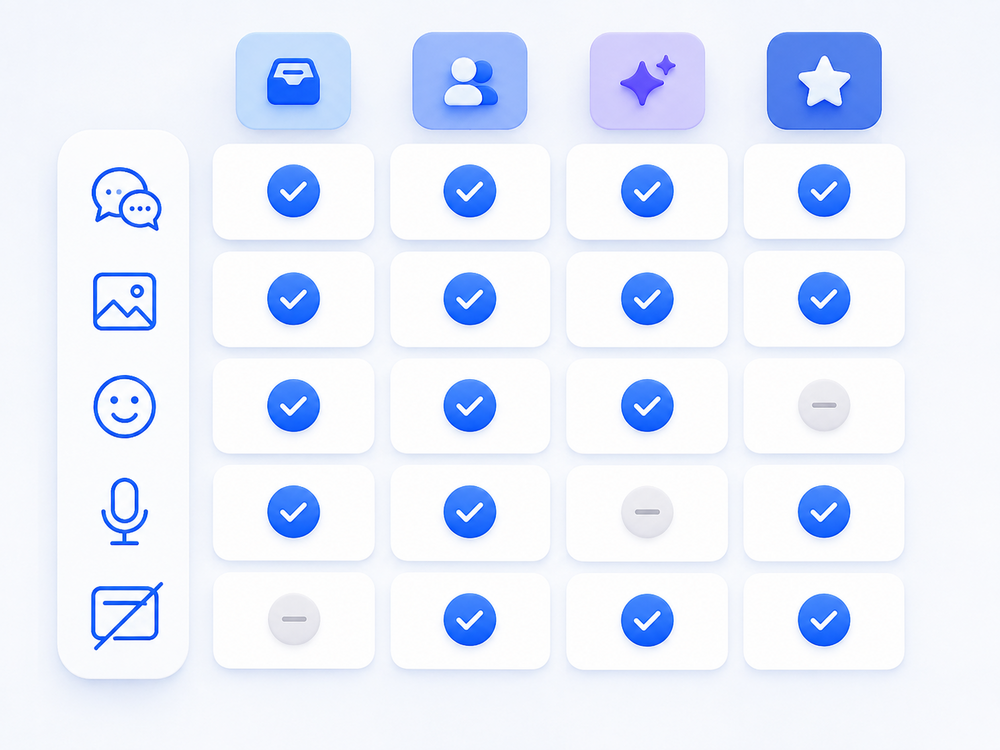
Readability
Text size, contrast and button size. This is the single biggest practical difference between apps, and the one least often mentioned in comparisons. If you find yourself zooming in or mis-tapping, no other feature matters much.
Some apps use large type by default. Others assume good eyesight and a steady hand.
How many taps to a conversation
Count it on your current setup. Unlock, find the icon, open the app, find the person, open the thread. Four or five actions for the thing most people do more than anything else on their phone.
Apps differ enormously here, and it is worth weighing against feature lists that look more impressive on paper.
Group messaging
All of them do groups. They differ in how readable a busy group is. Reactions help, because five thumbs up on one message beats five separate replies saying "ok".
Reactions only display properly when both people support RCS, which is a common source of confusion.
Photos and video
Standard picture messages use MMS, which has a small size limit, so photos get compressed and arrive soft. RCS raises that limit considerably. Chat apps that run over the internet have the fewest restrictions.
If picture quality matters to you, this is where the differences are largest.
Ads
Free apps are usually paid for by advertising. What matters is whether ads sit between you and your messages. An ad in a settings screen is nothing. A full screen ad when you open a conversation is a different matter.
Most ad-supported apps, including ours, offer a paid option to remove them.
Privacy
Worth reading the data safety section on any app's Play Store listing before installing. Google requires developers to declare what they collect and share, and those declarations are on every listing. The Play Store data safety documentation explains how to read them.
Two things to look for: whether message content is processed on your device or sent elsewhere, and whether data is shared with advertisers.
Which type suits you
You message a mix of people, some not very technical.
A texting app. SMS reaches everyone with a phone number and needs nothing installed at the other end.
Everyone you talk to already uses the same chat app.
A chat app is fine, and you will get better photo quality and cheaper international messaging.
You mostly want it to be easier to use.
Prioritise text size, button size and how quickly you reach a conversation. Ignore feature lists.
Your carrier's app was discontinued.
This has happened to a lot of people. Verizon retired its own Message+ app, leaving users to find a replacement. Any SMS app can take over, and your existing messages carry across because they are stored on the phone rather than in the app.
You want fewer taps to your most frequent contacts.
Look at apps that surface conversations on the home screen rather than behind an icon. That is the specific problem Messenger Chat Home was built for.
Switching is low risk
The thing that stops most people is the fear of losing message history. It is unfounded.
Text messages are stored in a shared database on the phone itself, not inside any one app. Install a new one, set it as your default, and your conversations appear, in order, with the same contacts. Switch back and everything is still there.
Two things to expect. Notification settings do not carry over, so set your sound again. And RCS may take a few minutes to reconnect after a change.
The full walkthrough is in our guide to setting your default messaging app on Android.
Frequently asked questions
What is the difference between a texting app and a chat app?
A texting app sends SMS and MMS over the mobile network using phone numbers, so it reaches anyone with a phone. A chat app sends messages over the internet and only works with people who have the same app installed.
Will I lose my messages if I switch texting apps?
No. Text messages are stored on the phone in a shared database rather than inside one app. A new app reads the same messages, so your history stays intact.
Are free texting apps really free?
The apps are free to download and use. They are usually funded by advertising, and many offer a paid option to remove ads. Sending messages still uses your carrier's SMS allowance or your mobile data.
Why do my photos look worse in some apps than others?
Standard picture messages use MMS, which has a strict size limit, so photos are compressed. Apps using RCS or internet-based chat can send much larger files, so pictures arrive sharper.
Do I need internet for a texting app?
Not for standard SMS, which works on the mobile network alone. Picture messages and newer chat features such as RCS do need a data connection.
The right app is the one that gets you to the person you want to talk to with the least effort. For most people that is a readability and a number-of-taps question rather than a feature question.
Try Messenger Chat Home
Free on Google Play. Large, clear text and your conversations one swipe from the home screen.
Download now