
Quick answer: "Sent" means the message left your phone. "Delivered" means it reached the other person's phone. "Read" means they opened it. You only see Delivered and Read when both phones are using the newer RCS chat features. With a regular text, you usually see nothing at all, and that is normal.
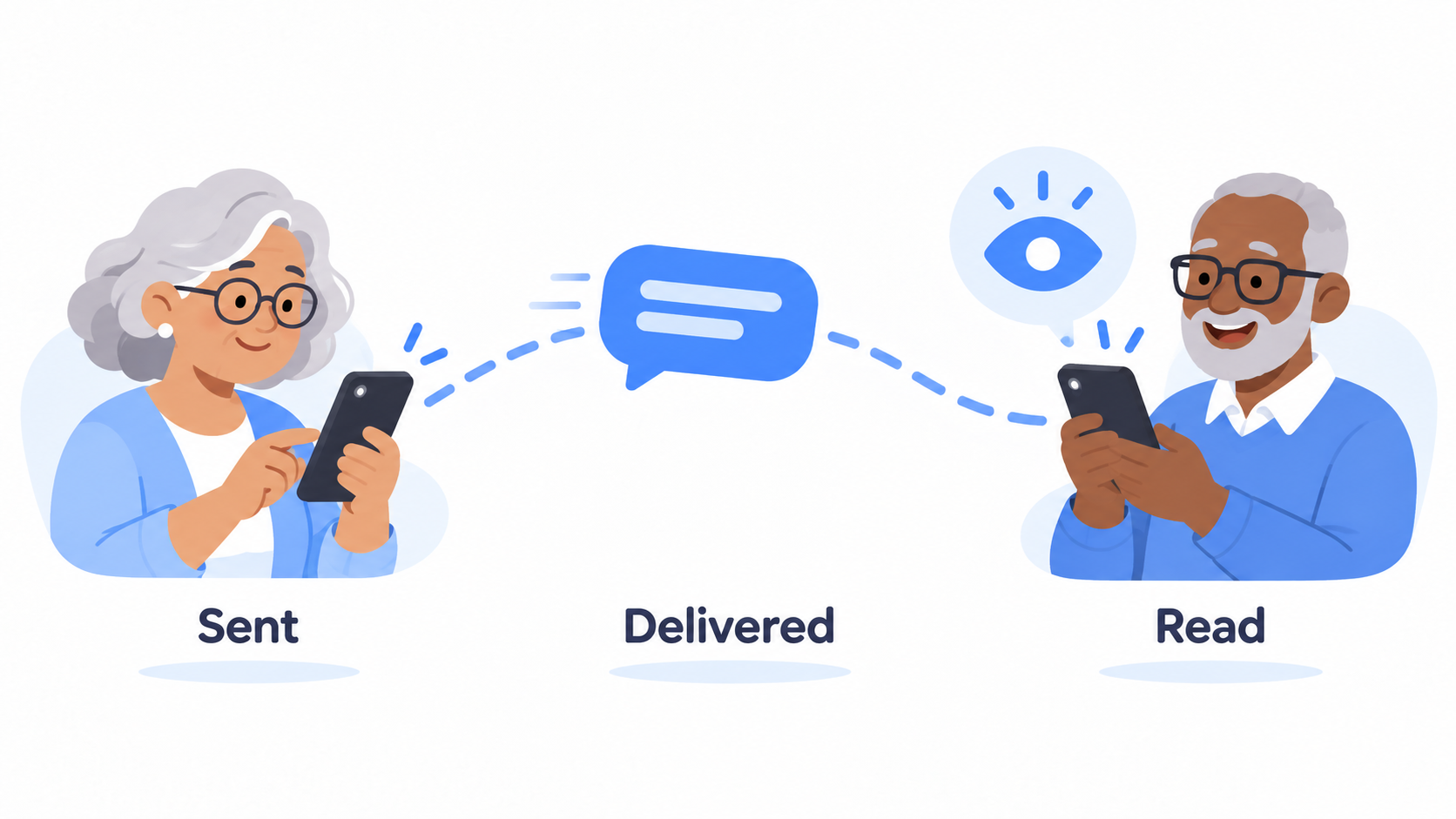
The three steps every message takes
Think of mailing a letter.
- Sent. You dropped it in the mailbox. It is on its way.
- Delivered. It is in their mailbox. Their phone has it.
- Read. They opened the envelope. The conversation was on their screen.
"Delivered" does not mean they have seen it. Their phone could be in a purse, on a charger, or turned face down at dinner.
What do the check marks look like?
Many texting apps use small check marks under your message.
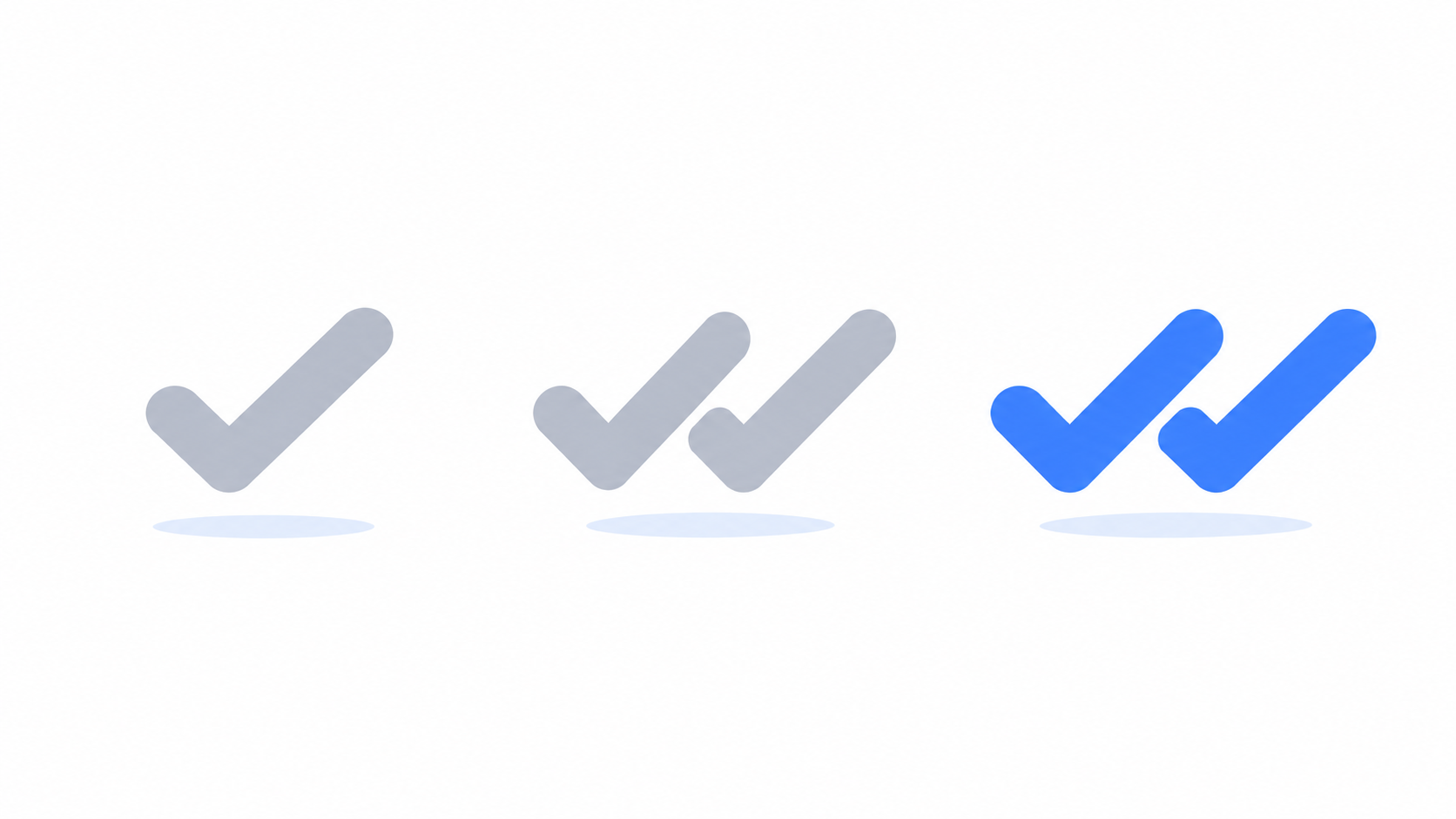
- One check mark means sent.
- Two check marks mean delivered.
- Two filled in or colored check marks mean read.
Some apps use the words. Some use the checks. They mean the same thing.
Why do I only see these on some messages?
Because Delivered and Read only work with RCS, the newer kind of texting. Both phones need to have it turned on.
Google's help page lists two settings under RCS chats: Send read receipts and Show typing indicators. Apple's support page says RCS messages between iPhone and Android support delivery and read receipts too.
If the other person has an older phone, or has read receipts turned off, you will not see "Read" no matter what. It does not mean they are ignoring you.
Can people see when I have read their message?
Only if you allow it. Read receipts go both ways. If yours are on, people can see when you have opened their message. If you turn yours off, they can't, and you won't see theirs either.
To turn read receipts off:
- Open Messenger Chat Home.
- Open Settings, then the chat features or RCS section.
- Turn off Send read receipts.
Plenty of people turn this off. It takes the pressure off answering right away.
What do the three bouncing dots mean?
The other person is typing a reply right now. If the dots appear and then vanish, they started typing and stopped. Maybe the doorbell rang. Try not to read into it.
It says Delivered but they have not answered. Now what?
Nothing. That is the honest answer.
Delivered means your part is done. People see a message, mean to reply, and get pulled away. If it matters, call. If it doesn't, give it a day.

Quick answers
What is the difference between Delivered and Read?
Delivered means the message reached the other person's phone. Read means they opened the conversation and the message was on their screen.
Why doesn't my text say Delivered?
Delivered and Read only appear when both phones are using RCS chat features. Regular text messages do not show them.
Can someone tell if I read their text?
Only if your read receipts are turned on. You can turn them off in your texting app's settings.
One less thing to wonder about
Texting comes with a lot of tiny signals nobody explains. Messenger Chat Home keeps them clear and easy to read, right on your Home Screen. It is free on the Google Play Store.
Related: What Does "Liked a Message" or "Laughed At" Mean in My Texts? | What Does "Sent as SMS" Mean, and What Is RCS?
